
Bigjpg: AI Image Upscaler for Lossless Enlargement
Bigjpg uses AI to enlarge images without losing quality. This tool upscales anime, photos, and art while reducing noise and artifacts. Want perfect colors in your upscaled images? Better Colors helps you manage color profiles across Windows for accurate, beautiful results every time.
Bigjpg is an online tool that enlarges images using artificial intelligence. Unlike traditional resizing methods, it preserves detail and sharpness when you scale up your photos or artwork. The service targets anime art, illustrations, and photographs, applying deep learning to reduce blur and pixelation.
How Bigjpg Works
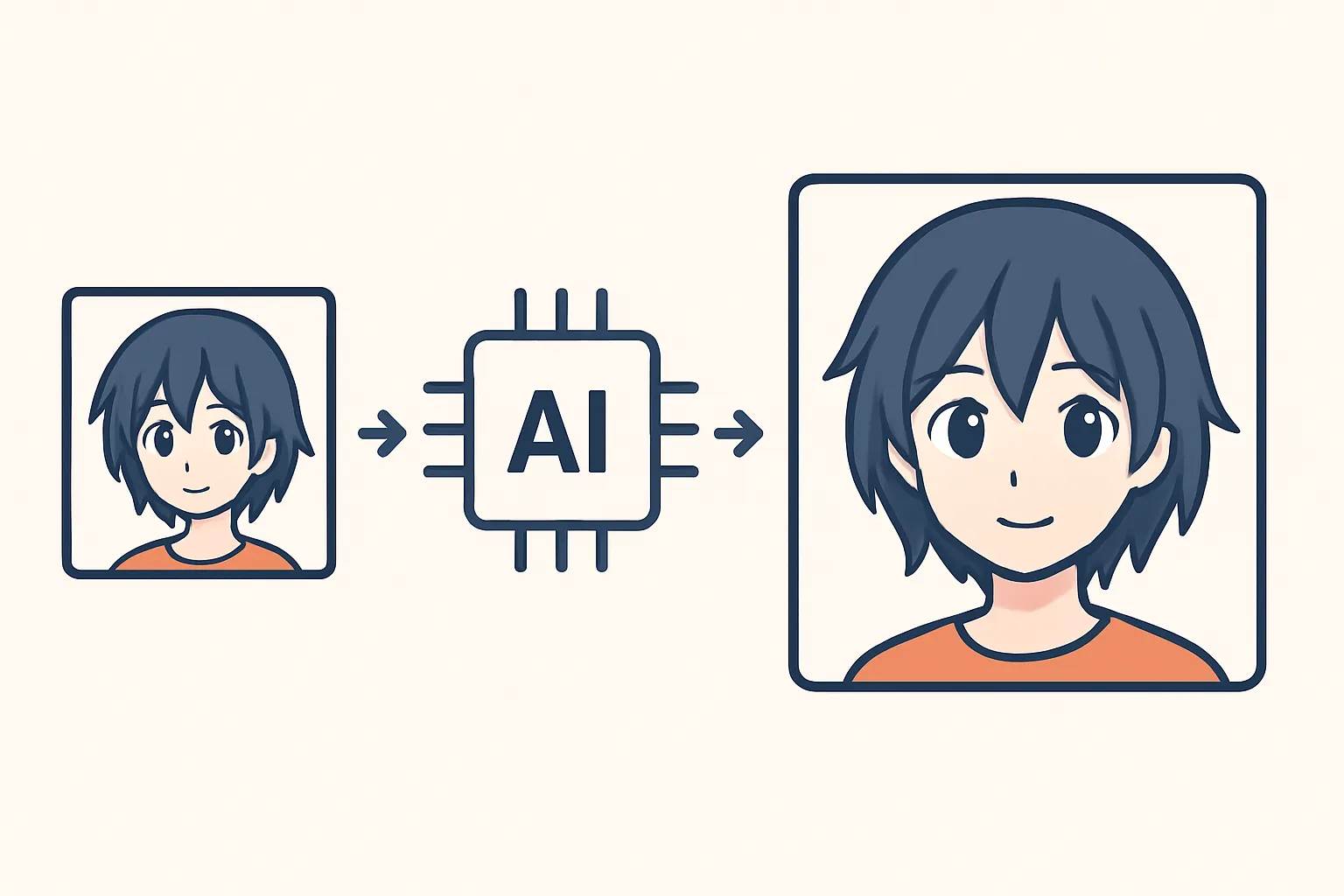
The platform analyzes your image and predicts the missing pixels when enlarging. Traditional software simply stretches existing pixels, creating a blurry or blocky result. Bigjpg's neural network recognizes patterns and textures, then generates new detail that matches the original style. You upload a file, select your enlargement factor (2x, 4x, 8x, or 16x), and wait for processing. The system works best with anime-style drawings and cartoon graphics, though it handles real photos reasonably well.
Key Features and Options
When you upload an image, you choose between several settings:
- Art type: Anime or photo mode, each trained on different datasets
- Noise reduction: Low, medium, high, or highest to clean up compression artifacts
- Magnification: Up to 16x the original dimensions
Anime mode excels at sharp lines and flat colors. Photo mode handles gradients and natural textures better. Noise reduction removes JPEG compression blocks and grain, though aggressive settings can soften fine detail. Processing time depends on file size and server load; large files at maximum settings may take several minutes. Upscaling images through AI has become common, but Bigjpg distinguishes itself with specialized anime algorithms.
Comparison With Other Upscalers
Several alternatives exist, each with different strengths. Waifu2x pioneered anime upscaling and remains popular as a free, open-source option. Topaz Gigapixel AI offers desktop software with batch processing and more control. Let's Enhance provides a web interface similar to Bigjpg but with different pricing. Real-ESRGAN powers many newer tools with state-of-the-art algorithms. Bigjpg sits in the middle: easier than installing desktop software, yet more specialized than generic photo enhancement services. Free users get limited resolution; paid tiers unlock larger files and faster queues.
Best Use Cases
Bigjpg performs well when you need to print small digital art or recover low-resolution anime screenshots. Artists upscale sketches for merchandise. Collectors restore old scanned manga pages. Game developers enlarge sprite assets for HD remasters. The tool struggles with highly compressed sources or images smaller than 200 pixels on any side. Starting with clean, moderately sized files yields better results than trying to rescue tiny, artifact-heavy thumbnails. If you're working on enhancing photos with realistic subjects, experiment with both modes to see which preserves skin tones and natural textures more faithfully.
Pricing and Limitations
The free tier allows five images per month at 3000×3000 pixels maximum. This suits occasional users who upscale a few pieces. Paid plans start around five dollars monthly, increasing file size limits and removing watermarks. API access is available for developers. Processing speed improves with subscription levels. Free accounts wait in longer queues during peak hours. Paid users also unlock higher noise-reduction levels and priority support. For professionals handling dozens of files weekly, the subscription pays for itself in time saved. Hobbyists may find the free quota sufficient if they plan uploads carefully. Tools that improve image quality often charge per file; Bigjpg's flat monthly rate simplifies budgeting.
Alternatives to Consider
If Bigjpg doesn't meet your needs, try Waifu2x for anime at no cost, though the interface is basic. Topaz Gigapixel AI runs locally and processes batches without internet. Adobe Photoshop now includes neural filters for upscaling, bundled with Creative Cloud. For quick edits without specialized upscaling, Better Colors offers a one-click solution that enhances contrast and color vibrancy instantly - download Better Colors to improve your images in seconds without subscriptions.